Troubleshooting
Unless it’s not something obvious and easily reproducible, please make sure to do as much as you can from the checklist below.
Ensure tests are passing outside of Wallaby
Before you start troubleshooting, please make sure that your tests are running correctly (and passing) outside of Wallaby. Often the root cause of a Wallaby problem is an error in your tests/application code, or else a problem with your test runner configuration.
Diagnostics Report
Wallaby Diagnostics Report is a simple JSON text report that contains some basic information about your Wallaby config and project that is required to start troubleshooting most of Wallaby issues.
To share the report:
- start Wallaby in your project;
- wait until it reports some results (finishes running tests);
- run
Copy Diagnostics Reportcommand:- in VS Code, or Sublime editor execute Wallaby
Copy Diagnostics Reportcommand;
- in VS Code, or Sublime editor execute Wallaby
- paste generated report from your clipboard to a newly created issue (feel free to review and edit the report if required).
Configuration issue
If you can, please provide us with a small sample project where the error can be reproduced. Best if you create a repository on GitHub and give us the link to your repo. We will have a look, fix the wallaby.py issue or the setup issue, and send you a pull request. In our experience, questions and issues with attached wallaby config and sample repository are resolved faster.
Wallaby has its own cache for transformed and changed files. The Wallaby cache is automatically monitored for issues and repaired seamlessly in the background. If you are a VS Code user, you can clear the cache with the Wallaby.py: Reset Wallaby Cache command. Clearing the Wallaby cache should never be required; if this solves your problem, please report an issue.
Wallaby stopped working after an update
Wallaby.py automatically updates its core to provide the latest features and bug fixes. Occasionally, a new version may introduce compatibility issues with your specific project setup or dependencies.
If you are using VS Code, you can use the Wallaby.py: Install Specific Core Version command from the command palette to roll back to a previous Core version.
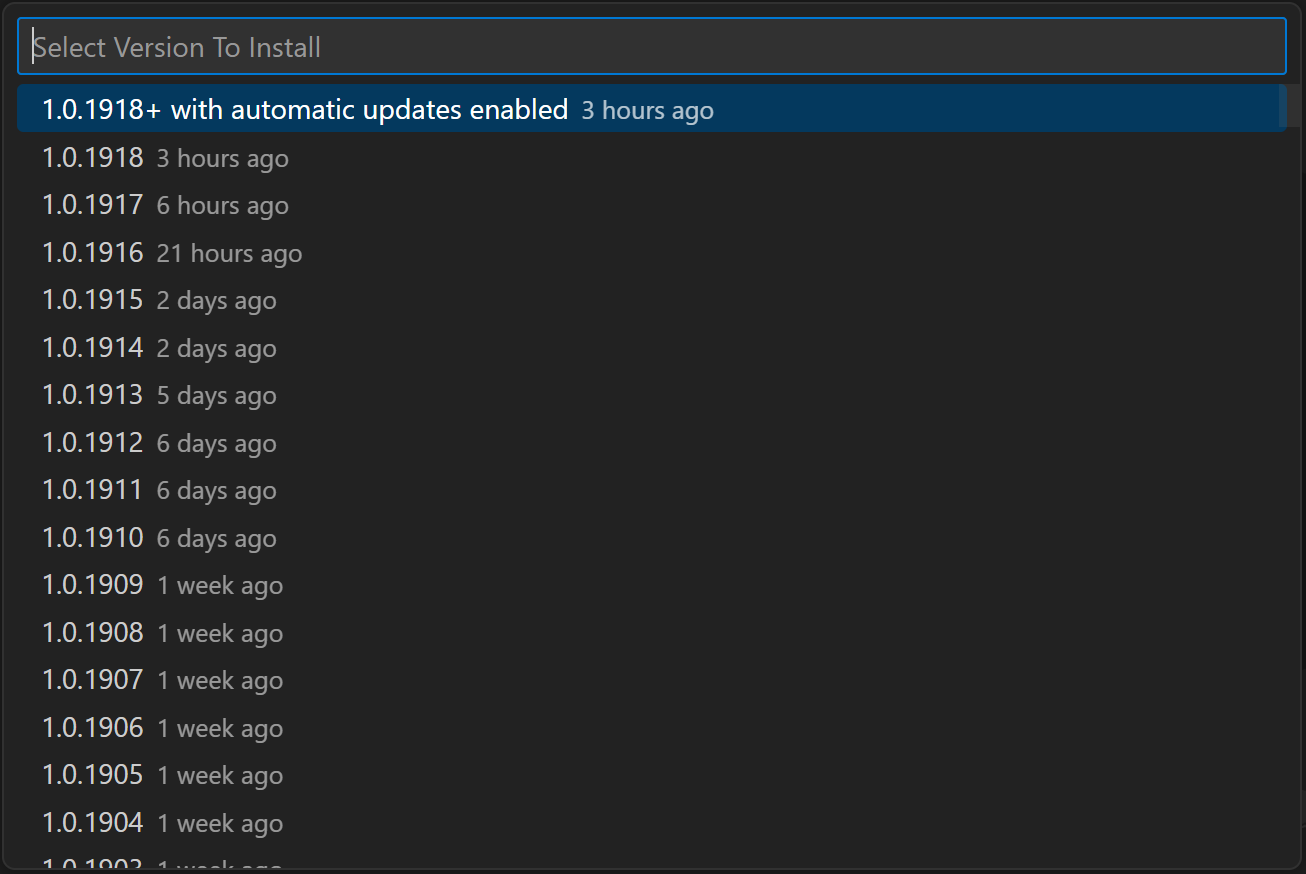
To reinstall the latest version and re-enable automatic updates, use the same command and select the first item in the list.
Version selection tip: Start by rolling back one version at a time, or if you know when Wallaby last worked, choose a version from around that time.
Wallaby was working, but then stopped working
If you are a VS Code user, you can clear the cache with the Wallaby.py: Reset Wallaby Cache command. Clearing the Wallaby cache should never be required; if this solves your problem, please report an issue.
If the issue does not disappear, try installing a previously working Wallaby core version as described in the Wallaby stopped working after an update section above.
Status indicator keeps spinning forever or where to find the log files
Wallaby Diagnostics Report (see the Diagnostics Report section above) is the first place to look for issues.
You may also need to check the editor log files.
For VS Code, review the output of the Console panel in the Developer Tools (using the Developer: Toggle Developer Tools command).
Forcing wallaby.js core update
Wallaby.js core gets updated automatically. When a new version is published, it will be updated during one of wallaby.js restarts within a few minutes (depending on when was the last version check).
Sometimes you may want to force the update to happen as soon as possible. To do that, please follow the instructions for your editor below.
In VS Code: open the editor and launch the Command Palette using Ctrl/Cmd + Shift + P, then run the command Wallaby.py: Force Core Update.
Feature Use Telemetry
By default, Wallaby collects anonymized feature use telemetry. This anonymous data is used to help us understand how Wallaby is being used,
and to help us prioritize future development. You can opt out of this telemetry by setting the telemetry option to false in
your Wallaby.js configuration file.